Knox Platform for Enterprise licenses
Last updated July 29th, 2026
Knox Platform for Enterprise (KPE) licenses are designed to be activated and managed from within your existing enterprise mobility management (EMM) or unified endpoint management (UEM) solution, and are also included as part of Samsung Knox Suite.
The Knox Platform for Enterprise Premium license is available for free and provides access to premium device management features. It’s also used to access Knox Service Plugin premium features.
If you’re an EMM partner, Samsung recommends that you activate Knox Platform for Enterprise Premium licenses for customers using Samsung devices. This way, customers can use their EMM providers’ Premium license keys without having to generate their own.
Specialized Knox Platform for Enterprise licenses such as Knox Dual Data-At-Rest (DualDAR) and Knox Universal Credential Management (UCM) still exist, and continue to be paid licenses.
Obtain a license
You can get a Knox Platform for Enterprise license in three ways:
-
If you want to use EMM features, including Knox Service Plugin, follow these steps to get a Knox Platform for Enterprise Premium license:
-
Sign in to the Knox Admin Portal.
-
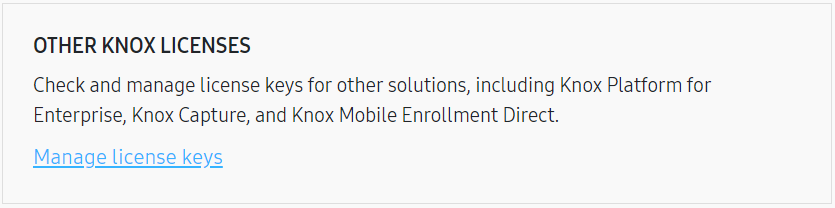
On the Licenses page, click Manage license keys.
-
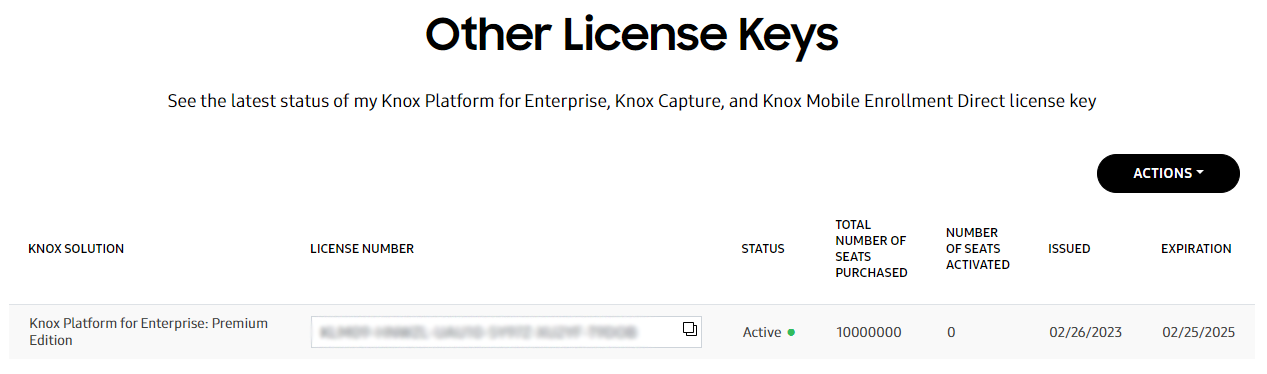
Click Actions > Generate Knox Platform for Enterprise Premium license key. A new Knox Platform for Enterprise license is added to your license key list:
-
-
If you’re a developer, get a Knox Platform for Enterprise Premium license through the Knox Developer Portal. For details, see Get a license in the Knox Developer documentation.
-
You can purchase a device and software bundle from a solutions provider, independent software vendor, managed service provider, or reseller, and receive a license when your device provider includes a Knox license key with your purchase. If you received such a bundle, contact the vendor of your supported EMM or device reseller for more details.
Activate a license
Once you have a Knox Platform for Enterprise license, you can activate it in your EMM. Your EMM may have already activated your Knox license key for you upon purchase. Contact your EMM vendor to check if you need to input the license key manually.
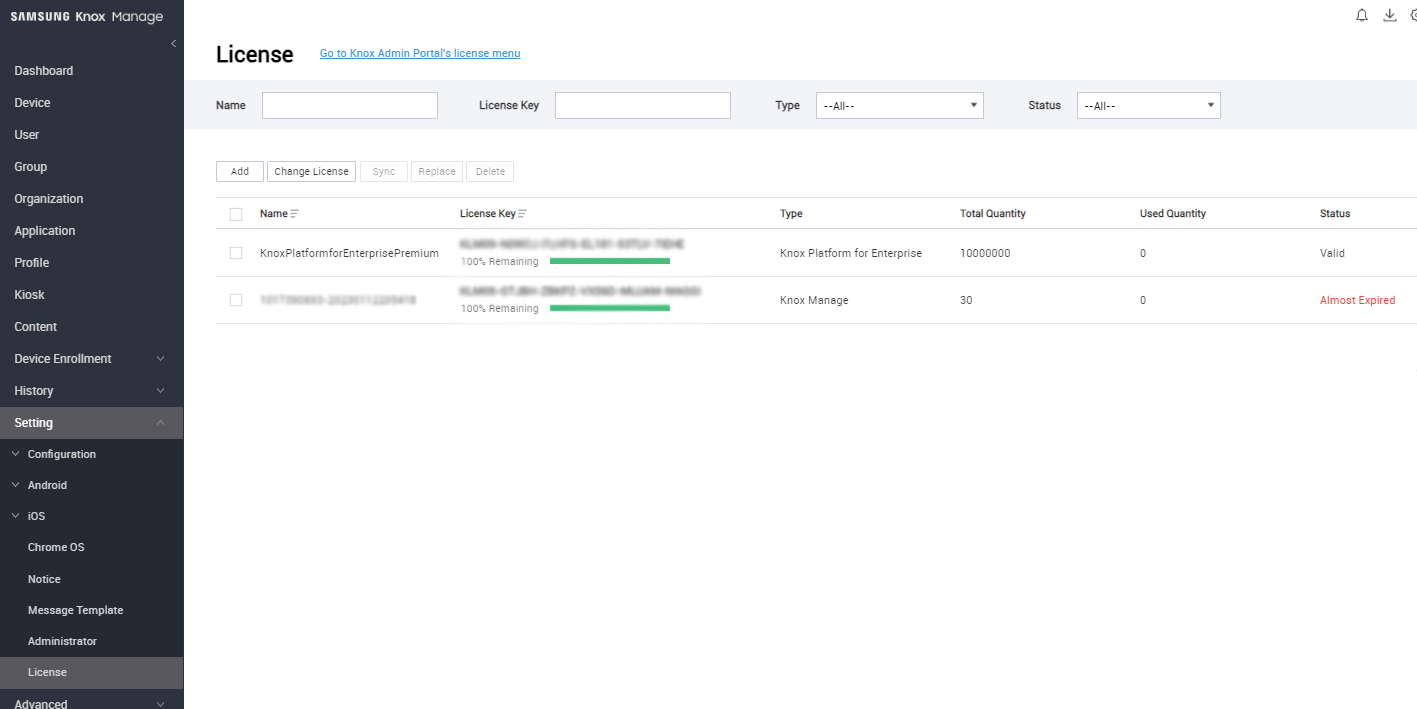
Activate the Knox Platform for Enterprise license on your EMM console. Consult your solution’s documentation for details about how it has integrated KPE.
For example, the following image shows the license page in Knox Manage. If you use Knox Manage, this page is where you activate your Knox Platform for Enterprise license.
Activate a license without an internet connection
If your enterprise is highly regulated and doesn’t allow communication with external servers, you can request the paid Knox License On-Premises Server software, which handles license verification within your firewall. For more information, contact your Samsung representative or reseller, or Samsung Support.
Renew your Knox Platform for Enterprise Premium license
If your Premium license expires, it will impact your existing devices and you must re-activate your devices through your EMM.
If your license has already expired or will expire within the next 90 days, you can renew it for another two years.
To renew your Premium license:
-
On the Knox Admin Portal, go to the Licenses page and click Manage license keys.
-
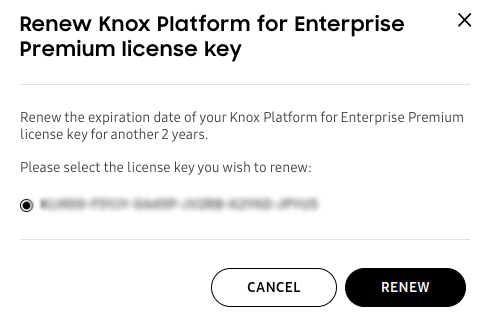
Click Actions > Renew Knox Platform for Enterprise Premium license key.
-
Select the license key you want to renew, and click Renew.
Validate a license key
You can validate your license key as follows:
-
Sign in to the Knox Admin Portal.
-
On the Licenses page in the OTHER KNOX LICENSES section, click Manage license keys.
-
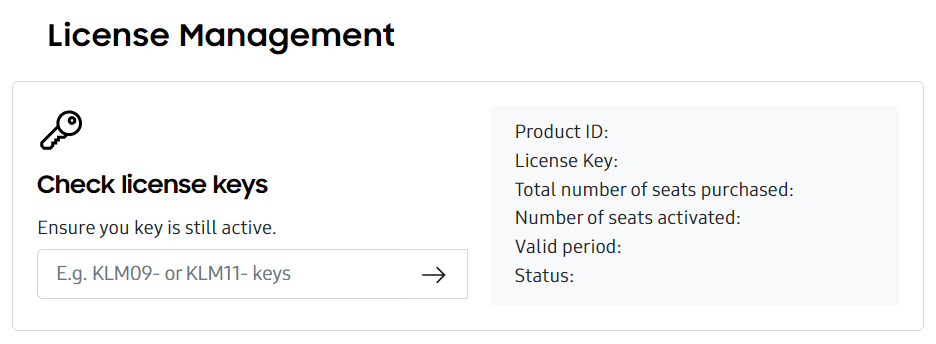
Enter your license key in the Check license keys field.
FAQ
The Knox Platform for Enterprise Premium license is free and includes 10,000,000 seats. It expires 2 years from the date of activation.
If you need more than 10,000,000 assignments, contact your Knox Reseller or your Samsung account representative. You do not need to obtain and activate another Knox Platform for Enterprise license.
If you factory reset a device without first unenrolling it from your EMM, that Knox Platform for Enterprise license remains consumed. By design, the assignment isn’t automatically freed.
If you have already wiped a device without unenrolling it from an EMM and want to restore its Knox license seat, use the device deactivation tool. For details, see How to disassociate a device from a Knox Platform for Enterprise license key.
The Knox Workspace license expires two years after its activation date. If the license expires, access to the Work container depends on the device’s Android version:
-
Android 11 or later — The Work container can be used, but Knox Platform for Enterprise features can no longer be used. You won’t be able to apply Knox Platform for Enterprise policies until the license is reactivated.
-
Android 10 or earlier — The Work container locks, and Knox Platform for Enterprise features can no longer be used. But the data inside the container is unaffected, and the user regains access to the container and data after the license is extended or reactivated.
Some Android 10 devices may exhibit behavior similar to Android 11 devices.
The following limitations apply to the container when the license expires:
-
For any device running Android 9 or earlier, and some Android 10 devices, the container will be locked and inaccessible until the license is extended or reactivated.
-
You can’t push any Knox Workspace policies to devices.
-
All Knox Workspace policies set in the EMM tenant persist and can’t be updated.
On this page
Is this page helpful?